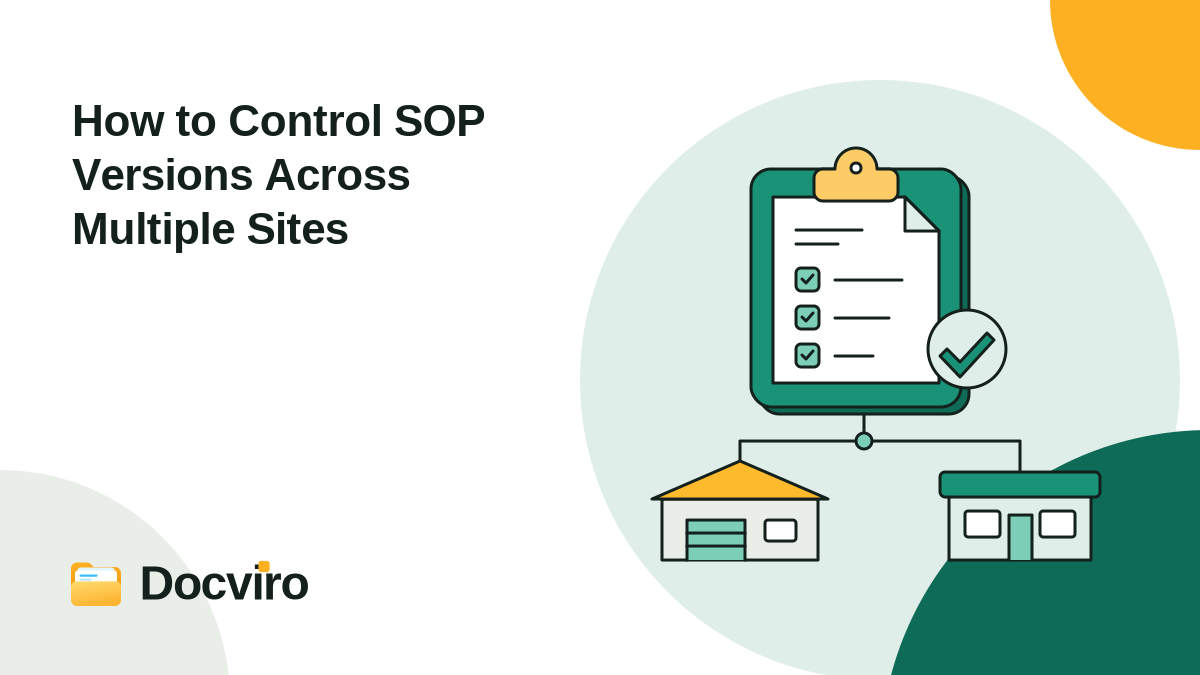
To control SOP versions across multiple sites, keep one master library that every location reads from. Give each procedure a single number and revision, and decide up front which SOPs are global and which have site-specific variants. Every change follows the same approval path and gets an effective date. The new revision replaces the previous one everywhere at once, and the old version moves to an obsolete archive that frontline staff cannot open.
The rest is discipline. Staff at each site acknowledge new revisions, printed copies are either tracked or clearly marked as uncontrolled, and every SOP is reviewed on a fixed schedule. This guide shows how to set that up, whether you run two warehouses, five clinics or a dozen retail locations. It also covers the evidence you should keep for auditors.
Why SOP versions drift between sites
Drift rarely starts with a bad decision. It usually comes from small workarounds that pile up:
- Local copies. A supervisor saves the SOP to a site drive or desktop to make it easier to find, and that copy never gets updated.
- Email distribution. New revisions go out as attachments. Some people open them. Others keep using the version they printed last year.
- Undocumented local edits. A site changes a step to fit its own equipment and doesn't tell anyone, so the master and the floor copy no longer match.
- No single owner. When nobody is accountable for a procedure, nobody notices that one site is two revisions behind.
- Inconsistent file names. Names like Receiving SOP final v3 NEW make it impossible to tell which version is current.
- Binders on the wall. Paper copies outlive the revision they were printed from.
Each of these can be fixed, but only with a structural fix. A reminder email won't do it.
Decide what is global and what is local
Before you move any files, sort your procedures. Most multi-site businesses end up with three models, and choosing the right one for each SOP prevents most version conflicts later.
| Model | When it fits | Advantage | Risk to watch |
|---|---|---|---|
| Single global SOP | The process is identical everywhere, such as expense reporting, data backup or complaint handling | One document to maintain and train on | Sites quietly adapting it without telling the owner |
| Global SOP plus site addendum | The core process is the same, but equipment, contacts or local rules differ | The core stays consistent, and local detail lives in a short attachment | The addendum falling out of sync with its parent revision |
| Site-specific SOP | The process exists at only one location or differs fundamentally | Fits local reality exactly | Duplicated content that should have been global |
A useful rule of thumb: if more than one site does something the same way, it belongs in a global SOP. Put local differences, such as machine models, emergency contacts or room numbers, into an addendum that cites the parent SOP number and revision. When the parent changes, the addendum gets reviewed as part of the same change rather than as an afterthought.
If you have sites in both the US and Europe, local legal requirements also belong in addenda. Working-time rules, safety reporting duties and data protection obligations can differ by country, and in the US by state. Have each addendum reviewed by someone who knows the local rules.
Use one numbering and revision scheme
A shared numbering scheme lets anyone at any site confirm they are looking at the right document. A simple pattern works well:
- Department prefix: QA, OPS, HR, FIN
- Document type and sequence: SOP-014
- Site code, only for site-specific documents: DAL, LYN
- Revision: a letter (Rev C) or a number (Rev 3)
Under this scheme, QA-SOP-014 Rev C is the global procedure and QA-SOP-014-LYN Rev C is the Lyon addendum written against it. Matching revision letters make it obvious when an addendum has fallen behind its parent.
Some teams use major and minor revisions, such as 2.0 and 2.1. A minor revision covers typo fixes or formatting changes that don't need retraining, and a major revision changes how the work is done. Whichever approach you choose, write down what triggers retraining so sites don't have to guess.
Don't rely on file names alone. Record these attributes as fields on each document:
- Owner (a named role, not just a department)
- Applicable sites
- Status: draft, in review, effective or obsolete
- Revision and effective date
- Next review date
- Language, if you maintain translations
A master list of these fields is your document register. If you don't have one yet, our document control register template gives you a starting structure.
Set up one controlled library
Every site should read SOPs from the same place. Organize that library by status first, then by department:
- Drafts: visible only to authors and reviewers.
- Effective: visible to everyone who needs the procedure, read-only for all but document control. Site addenda sit in site subfolders next to their parent.
- Obsolete: visible only to quality or document control, kept for audits and investigations.
Apply least-privilege permissions. Frontline staff get read access. Site leads can comment or raise change requests, but they can't overwrite an effective SOP. Only a small document control group can publish or retire revisions.
Handling translations
If your sites work in different languages, treat each translation as a controlled document tied to the same SOP number and revision. A translation should not become effective until a qualified person has checked it. Aim to publish all language versions on the same effective date. If one translation lags, record the gap and tell the affected site which revision to follow in the meantime.
Route every change through the same approval path
A consistent change process matters more than how many steps it has. A workable path for multi-site SOPs looks like this:
- Change request. Anyone can raise one. Capture the reason, the affected SOP and the affected sites.
- Draft. The owner creates the next revision in the drafts area and summarizes what changed.
- Site review. A representative from each affected site reviews the draft. Site reviewers catch problems head office misses, such as a step that doesn't work with a site's equipment.
- Approval. Quality, compliance or the operations lead approves. Each approval is recorded with name, date and decision.
- Effective date. Set a date that leaves time for training, usually not the same day as approval.
- Publish. The new revision moves to the effective area and the old one moves to obsolete in the same step, so there is never a moment when two revisions are both live.
Don't let a single site approve changes to a global SOP on its own. If a site needs something different, that belongs in an addendum or a change request for the global document. For a simple way to structure reviewer and approver roles, see how to set up a two-step document approval workflow.
Urgent changes
Safety issues and regulatory changes sometimes can't wait for a full review cycle. Define an expedited path in advance: who can approve an urgent change, how sites are notified, and a deadline for completing the normal review afterward. Writing it down keeps emergency fixes from becoming permanent undocumented edits.
Roll out new revisions to every site
Publishing a revision isn't the same as rolling it out. For each new revision:
- Notify the right people. Tell each site which roles are affected, not just that something changed.
- Collect acknowledgments. Each affected person confirms they have read the new revision. Record their name, the date and the revision number.
- Train where it matters. For safety-critical or high-risk changes, a read acknowledgment alone may not be enough. Run a short training session or hands-on check and record it.
- Confirm at the site level. Each site lead confirms that posted copies and binders have been replaced and that local addenda still match.
Track acknowledgment completion per site. A dashboard or simple report showing that one site sits at 60 percent while others are complete tells you exactly where to follow up.
Retire the old version everywhere
Old revisions cause most multi-site errors, because they look official. Retire them deliberately:
- Move superseded revisions to the obsolete archive and keep them for your defined retention period.
- Keep a controlled copy register for every printed SOP that is posted or kept in a binder, listing its location and revision. When a new revision is published, swap and destroy the old copies and update the register.
- For everything else, print a footer such as Uncontrolled when printed, verify revision before use, along with the print date.
- Print a short link or QR code on posted copies that points to the SOP in the library, so staff can check the current revision in seconds.
- Run periodic spot checks. Pick a site and a handful of posted SOPs, and compare them against the library.
Keep the evidence auditors ask for
Whatever your industry, auditors and investigators tend to ask the same questions: which revision was in effect on a given date, who approved it, and did the people doing the work know about it?
If you follow ISO 9001, clause 7.5 requires that documented information be reviewed and approved for suitability, available where and when it is needed, and subject to controlled changes. Our ISO 9001 document control guide covers those requirements in more detail.
If you work in an FDA-regulated area such as pharmaceuticals or medical devices and keep required records or signatures electronically, 21 CFR Part 11 sets requirements for audit trails, system controls and electronic signatures. In the EU, GMP Annex 11 covers computerized systems. Both may require you to validate your system, so check with your quality or regulatory lead before you decide how SOPs and their approvals will be managed.
For most businesses, keep at least:
- Revision history showing what changed and why
- Approval records with names, dates and decisions
- Effective dates for every revision
- Acknowledgment and training records per site
- The controlled copy register
- The obsolete archive
- Periodic review records, including reviews that resulted in no change
Review every SOP on a schedule
Set a review interval for each SOP based on risk. High-risk procedures get reviewed more often than low-risk administrative ones. Record the next review date as a field and assign it to the owner.
Don't wait for the schedule when something changes. Incidents, audit findings, new equipment, organizational changes and new regulations should all trigger an out-of-cycle review. Record a review even when nothing changes. A note saying the procedure was reviewed, found current and reconfirmed shows the SOP is being actively maintained.
How Docviro handles multi-site SOP control
Docviro gives you one cloud library that every site works from, so there's no local copy to drift. Here is how its features map to the process above:
- Folders with permissions. Create drafts, effective and obsolete areas, give site staff read-only access to effective SOPs, and limit publishing to document control.
- Version history. Every saved revision is kept, along with who changed it and when, and earlier versions stay available. See Docviro version control for details.
- Metadata extraction. AI suggests fields such as document number, revision and owner from the document itself. Your team confirms them before they're saved, and the fields then make it easy to filter by site, status or review date.
- Approval workflows. Route each draft through the owner, site reviewers and final approver in a defined order, with each decision recorded.
- Electronic signatures. Use signatures for approval sign-off or staff acknowledgments. Each signed document gets a certificate of completion and a public verification page.
- Full-text search with OCR. Find every SOP that mentions a specific machine, chemical or form, including scanned legacy procedures, so you can catch every document affected by a change.
- AI summaries and chat. Staff can get a quick summary of what an SOP covers or ask questions about it. The approved text remains the authority, so answers should be checked against it.
- Secure sharing with expiring links. Share current SOPs with contractors, temporary staff or auditors without sending files that circulate indefinitely.
- Audit logs and retention rules. See who viewed, edited or approved each document, and keep obsolete revisions for the period your policy requires.
Docviro supports your document control process but doesn't replace it. You still need defined owners, a numbering scheme and review intervals. If Part 11 or Annex 11 applies to you, plan your own validation.
FAQ
Should each site keep its own copy of shared SOPs?
No. Every site should read from the same master library, with site-specific details kept in addenda tied to the parent SOP. Separate copies are the most common cause of version drift. If a site needs offline access, use controlled printed copies that are tracked in a register.
What's the difference between a new revision and a new SOP?
A new revision changes an existing procedure while keeping its number, purpose and scope. Create a new SOP when the scope changes fundamentally, for example when one procedure splits into two or a process is added at a new site. When in doubt, issue a revision and note the change in scope in the revision history.
How do we handle SOPs in multiple languages?
Treat each translation as a controlled document with the same number and revision as the source. Have each translation checked by a qualified reviewer before it becomes effective. Aim for a shared effective date across all languages, and document any gap.
How long should we keep obsolete SOP versions?
Set the period in your retention policy based on your industry and the records produced under each procedure. Many organizations keep obsolete SOPs at least as long as the records created while that version was in effect, because investigations often need to know which procedure applied at the time. Regulated industries may have specific requirements, so confirm them with your compliance lead.