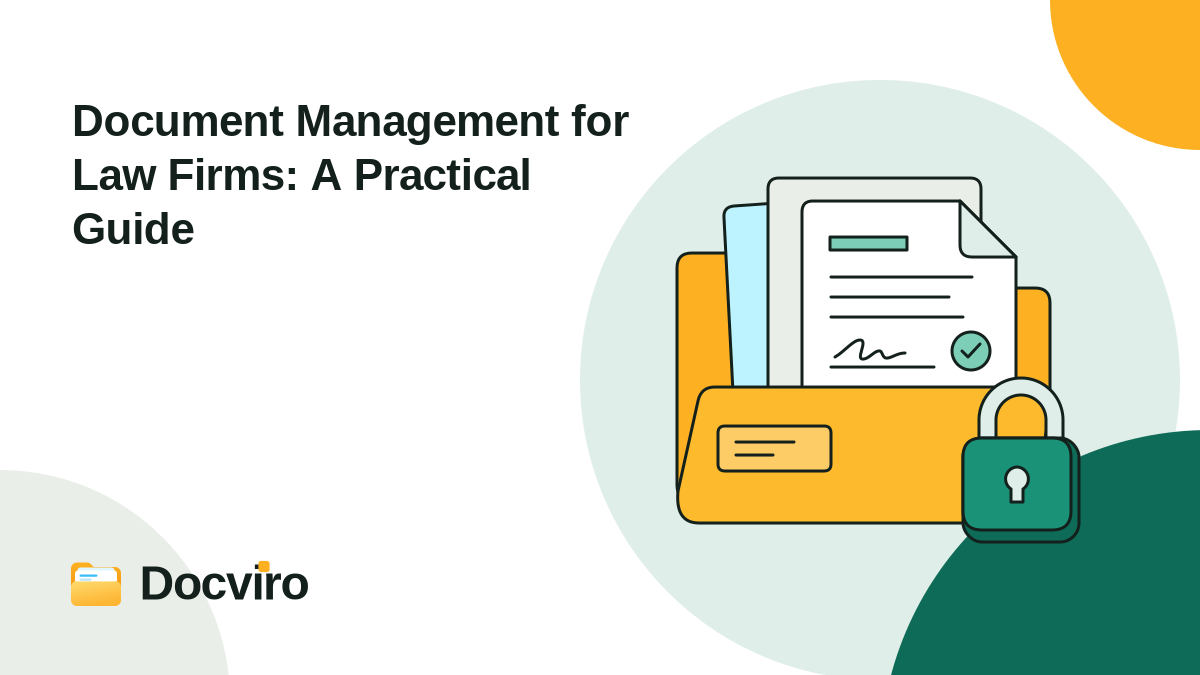
Document management for law firms means organizing every file around the client matter, controlling who can see each matter, and keeping a full record of drafts, signatures, and access. The goal is simple. Anyone authorized should find the current version of a pleading, contract, or letter in seconds. Nobody else should be able to see it. And you should be able to prove both of those things to a client, a court, or a bar regulator.
In practice, that requires a few things a shared drive or consumer cloud folder does not do well. You need matter-based folders with permissions you can lock down for conflicts. You need version history and full-text search across scanned documents. You need secure client sharing, electronic signatures with an audit trail, and retention rules that follow your file retention policy. This guide covers each requirement, the professional rules behind them, a folder structure you can copy, and a step-by-step rollout plan for a small or mid-sized firm.
Why Law Firms Outgrow Shared Drives
Most small firms start with a network drive, Dropbox, or Google Drive. That works until a few predictable problems appear:
- Version confusion. Files named "Agreement_v7_final_JS_edits_FINAL.docx" invite mistakes. Sending the wrong draft to opposing counsel is embarrassing. Filing the wrong one can be worse.
- Over-broad access. Generic shared folders often give every staff member access to every client. That makes ethical walls hard to enforce and hard to prove.
- Unsearchable paper. Scanned exhibits, medical records, and signed originals sit as image-only PDFs that search cannot read.
- No reliable audit trail. When a client asks who viewed their file, or a former employee's access needs review, basic file sync tools give limited answers.
- Ad hoc retention. Closed matters pile up forever, or get deleted inconsistently. Neither approach matches a written file retention policy.
A document management system (DMS) fixes these by adding structure, permissions, history, and policy on top of storage. If you are weighing options, our checklist for choosing a document management system walks through evaluation criteria in more detail.
The Professional Rules Behind Your Setup
Law firm document management is shaped by ethics rules and data protection law, not just convenience. Here are the ones that matter most. Check your own jurisdiction, because state and national rules vary.
Confidentiality and technology competence (US)
- ABA Model Rule 1.6(c) requires lawyers to make reasonable efforts to prevent the inadvertent or unauthorized disclosure of, or unauthorized access to, information relating to the representation of a client. Most states have adopted a version of this rule.
- Comment 8 to ABA Model Rule 1.1 says competence includes keeping abreast of the benefits and risks associated with relevant technology. Many states have adopted similar language.
- ABA Formal Opinion 477R discusses securing client communications and recommends a risk-based approach: understand how data is transmitted and stored, use appropriate safeguards, and train staff.
- Rule 1.15 and state file rules cover safekeeping client property and records. How long you must keep client files after a matter closes varies by state, so confirm your state's rule or bar guidance.
None of these rules mandates a specific product. They require reasonable, documented safeguards, and a DMS is one of the clearest ways to show that.
Data protection (EU and US)
- GDPR applies to firms established in the EU and to firms processing personal data of people in the EU in certain circumstances. A firm is typically a controller for client and employee data. That brings obligations around security, data minimization, storage limitation, and choosing processors (including cloud vendors) under a written data processing agreement.
- HIPAA can apply when a US firm receives protected health information from a covered entity client, for example in health care regulatory or litigation work. The firm may then be a business associate and need a business associate agreement along with appropriate safeguards.
- CCPA/CPRA applies to for-profit businesses that meet certain revenue or data volume thresholds. Many small firms will fall below them, but mid-sized firms should check.
Electronic signatures
In the US, the ESIGN Act and state adoptions of UETA give electronic signatures legal effect for most transactions. There are carve-outs. Wills, codicils, and testamentary trusts are excluded, and ESIGN also excludes certain family law matters and court orders and notices. Some states have since enacted separate electronic wills statutes. In the EU, eIDAS recognizes simple, advanced, and qualified electronic signatures. Only a qualified electronic signature carries the same legal effect as a handwritten signature by default across member states. Our guide to electronic signature laws in the US and EU covers these rules in depth.
Core Requirements of a Law Firm DMS
The table below maps each requirement to the reason it matters and what to look for.
| Requirement | Why it matters for a law firm | What to look for |
|---|---|---|
| Matter-centric organization | Every document belongs to a client and matter | Folder templates per matter, metadata for client, matter number, and responsible attorney |
| Granular permissions | Confidentiality and ethical walls | Folder-level permissions, the ability to restrict a matter to named users, permission inheritance you can override |
| Version history | Drafting and negotiation create many iterations | Automatic versions, restore points, clear indication of the current version |
| Full-text search with OCR | Scanned exhibits and records must be findable | OCR on upload, search inside PDFs and images, filters by metadata |
| Secure external sharing | Clients, co-counsel, and experts need files | Expiring links, access revocation, logging of who opened what |
| Electronic signatures | Engagement letters, settlements, and agreements | Signer audit trail, certificate of completion, a way to verify signed documents |
| Approval workflows | Partner review before documents go out | Configurable review steps, recorded approvals |
| Audit logs | Proving reasonable safeguards | Logs of views, edits, downloads, shares, and permission changes |
| Retention rules | Closed-file retention and destruction | Rules by folder or document type, controlled deletion |
Matter-centric organization
Organize by client, then matter. Add consistent metadata so you can find documents across matters, such as all engagement letters signed this year or every document for a given responsible attorney. Use a standard matter number that matches your practice management or billing system, so the two stay in sync.
Permissions and ethical walls
Default access should match how your firm actually works. Some firms let all attorneys see all matters. Others restrict by practice group. Either way, you need the ability to lock a single matter down to named people when a conflict screen is required, then prove the screen held. That proof comes from audit logs showing who accessed the matter and when.
Version control for drafting
Contracts, briefs, and settlement agreements go through many rounds. A DMS should save each version automatically, let you compare or restore earlier drafts, and make the current version obvious. That replaces filename-based versioning and reduces the risk of sending a stale draft.
Search across scanned records
Discovery productions, medical records, and signed originals usually arrive as scans. OCR turns them into searchable text, so you can find a name, date, or clause without opening dozens of PDFs. Combined with metadata filters, this is where firms often recover the most time.
Secure sharing with clients and third parties
Email attachments are hard to control once sent. Sharing through expiring links lets you set an end date, revoke access if something changes, and see when files were opened. This supports the risk-based approach described in ABA Formal Opinion 477R.
Retention, closed files, and legal holds
Write a file retention policy that states how long closed matter files are kept, what happens to original documents, and who approves destruction. Then configure retention rules to match it. When litigation or an investigation is reasonably anticipated, relevant documents must be preserved, so your process should include a way to suspend deletion for affected matters. See document retention policies explained for how to structure a policy.
A Matter Folder Structure You Can Copy
A consistent template makes every matter look the same, which speeds up onboarding and search. Adapt this to your practice areas:
- Client name / Matter number and short name
- 01 Engagement and Conflicts (engagement letter, conflict check record)
- 02 Correspondence (client, opposing counsel, third parties)
- 03 Pleadings and Filings (litigation) or 03 Transaction Documents (corporate)
- 04 Drafts and Work Product
- 05 Discovery or Due Diligence
- 06 Research and Memos
- 07 Billing (if not kept in your billing system)
- 08 Final and Executed Documents
Tips for making the structure stick:
- Keep restricted material, such as work product or internal notes, in a subfolder with tighter permissions if your firm shares matter files with clients.
- Store executed documents separately from drafts so the signed version is always easy to find.
- Use metadata for attributes that cut across folders, such as document type, date, and responsible attorney, rather than adding deeper folder levels.
Using AI on Client Documents Responsibly
AI summaries, metadata extraction, and chat on documents can save real time: summarizing a deposition transcript, pulling dates and parties from a contract, or asking where an indemnity clause appears across a set of agreements. They also raise questions the ABA addressed in Formal Opinion 512 on generative AI tools, which ties AI use back to existing duties of competence, confidentiality, communication, supervision, and reasonable fees.
Practical guardrails:
- Know where data goes. Confirm with your vendor whether documents are used to train models and where processing happens.
- Verify outputs. Treat AI summaries as a starting point. An attorney must check anything that informs advice or a filing.
- Respect permissions. AI features should only surface content the user is already allowed to see.
- Consider client consent. Some engagements, or some clients' outside counsel guidelines, may require you to disclose or get consent for AI use.
Rollout Plan for a Small or Mid-Sized Firm
- Write down your rules first. Document default access, ethical wall procedures, naming conventions, and file retention periods before you configure anything.
- Build the matter template. Create the folder structure and metadata fields once and reuse them for every new matter.
- Pilot with active matters. Move a handful of current matters and have one practice group use the system for a few weeks. Fix friction before going firm-wide.
- Migrate in priority order. Move active matters first, then recently closed ones. Older closed files can move later or stay in archive until their retention period ends.
- Run OCR on scanned archives. Make legacy scans searchable as they come in.
- Set up workflows and signatures. Configure partner approval for outgoing documents and e-signature templates for engagement letters.
- Train and enforce. Short role-based training works better than one long session. Then retire the old shared drive or make it read-only so documents do not drift back.
- Review quarterly. Check permissions on sensitive matters, review audit logs, and apply retention rules to closed files.
How Docviro Handles Law Firm Document Management
Docviro is a cloud document management platform, not a practice management or billing system. Firms typically use it alongside those tools to store and control the documents themselves. Here is how its features map to the requirements above:
- Folders with permissions. Create a folder per client and matter and restrict access to named users or groups, which supports ethical walls.
- Version history. Every save creates a version you can view or restore, so the current draft is always clear.
- Full-text search with OCR. Scanned PDFs and images are made searchable, and you can filter results by metadata.
- AI summaries, metadata extraction, and chat on documents. Summarize long documents, extract fields such as parties and dates, and ask questions about a document. Results should be reviewed by an attorney before use.
- Approval workflows. Route drafts for partner review and keep a record of who approved what.
- Electronic signatures. Signed documents come with a certificate of completion and a public verification page that lets a recipient confirm a document's signature record. For documents excluded from ESIGN or UETA, or that require a qualified signature under eIDAS, use the method the law requires.
- Secure sharing. Share files with clients and co-counsel through expiring links that you can revoke. Learn more on the secure document sharing feature page.
- Audit logs and retention rules. Logs record access and activity, and retention rules help apply your closed-file policy consistently.
FAQ
Is cloud document storage allowed for law firms?
Yes, bar ethics opinions in many US states have concluded that lawyers may use cloud storage if they take reasonable care to protect client confidentiality. That usually means vetting the vendor's security, understanding where data is stored, and controlling access. Check your state bar's guidance, since expectations vary.
How long should a law firm keep closed client files?
It depends on your jurisdiction and the type of matter. Many states set or recommend minimum periods through rules or ethics opinions, and some documents, such as original wills or trust account records, have their own requirements. Put the periods in a written retention policy and apply them consistently.
Can engagement letters and settlement agreements be signed electronically?
In most cases, yes. Under the ESIGN Act and UETA, electronic signatures are generally valid for contracts like engagement letters and settlement agreements. Exceptions include wills, codicils, and testamentary trusts, plus certain court documents, and a court or the parties may have their own requirements.
How do we enforce an ethical wall in a document management system?
Restrict the affected matter folders so the screened lawyer and staff have no access, and document the screen in your conflicts records. Audit logs then show who accessed the matter, which helps you demonstrate that the screen was respected. Review the permissions whenever staffing on the matter changes.
Do we still need a practice management system if we have a DMS?
Usually, yes. A practice management system handles calendaring, time entry, billing, and trust accounting, while a DMS controls the documents themselves. Linking them through a shared matter number keeps records consistent across both.